
 Australia
 Canada
 LATAM
LATAM UAE
UAE United Kingdom
 United States
Identify your Server’s Processor Type and Core Count
Goal:
Identify the physical CPU configuration and total core count of a server.
Requirements:
Administrator privileges on the server.
Steps:
1. Open Task Manager
Option 1: Right-click the taskbar and select Task Manager
Option 2: Press Ctrl + Shift + Esc on your keyboard
2. Access CPU Performance Details
Click the Performance tab
Select CPU from the sidebar
3. Review System Specifications
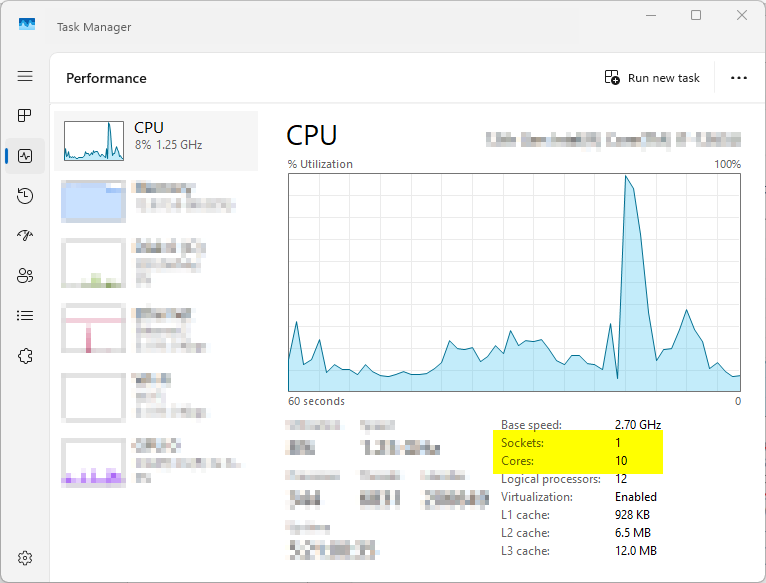
Sockets: Represents the number of physical CPU units (processor packages) installed in the server.
Cores: Shows the total number of processing cores available across all installed CPUs.
